 MohammedAmin.com
Serious writing for
serious readers
They are far easier to read because you can follow the moves on a live board. A chess engine is always immediately available.
Summary
Posted 15 December 2025
Improving at chess requires a combination of playing (either over the board or online) and studying.
A key part of studying is reading chess books, on a range of topics, such as:
As my chess autobiography indicates, I have been reading chess books since about the fourth form in secondary school.
Although all chess books contain some diagrams to keep you oriented, most of the moves are indicated only by chess notation.
I find it hard to think more than a few chess moves ahead relying purely on visualisation. Accordingly, when reading a chess book, I used to set up a board on my table and play through the moves on the board as I read the book.
I have memories of many hours happily spent that way in my younger days. Unfortunately, it is quite time consuming, and as I got busier with my career and family, I no longer had time to do it.
Advertisement
Click image

I did read one chess book this way during the COVID-19 pandemic when I was confined at home, and found it fascinating. That was "Game Changer: AlphaZero's Groundbreaking Chess Strategies and the Promise of AI" by Matthew Sadler and Natasha Regan. AlphaZero plays chess so differently from humans!
However, paper books have many drawbacks for me.
Disclaimer
I am a paying customer of all of the book providers mentioned below. However, I have no other connection with them, and receive nothing for mentioning them.
I only discovered electronic chess books for my iPhone and iPad after I started playing for the Oxford & Cambridge Club in early 2022. The first electronic chess books app I used was Gambit Chess Studio.
The app is of course free. You then buy the books. Once I have bought a book, is available on my iPhone, on the iPad I keep in Manchester, and the iPad I keep in London.
Over the years, I have bought a total of 36 books within this app! Below is a screenshot from my iPad, from a book on the Kings Indian Defence.
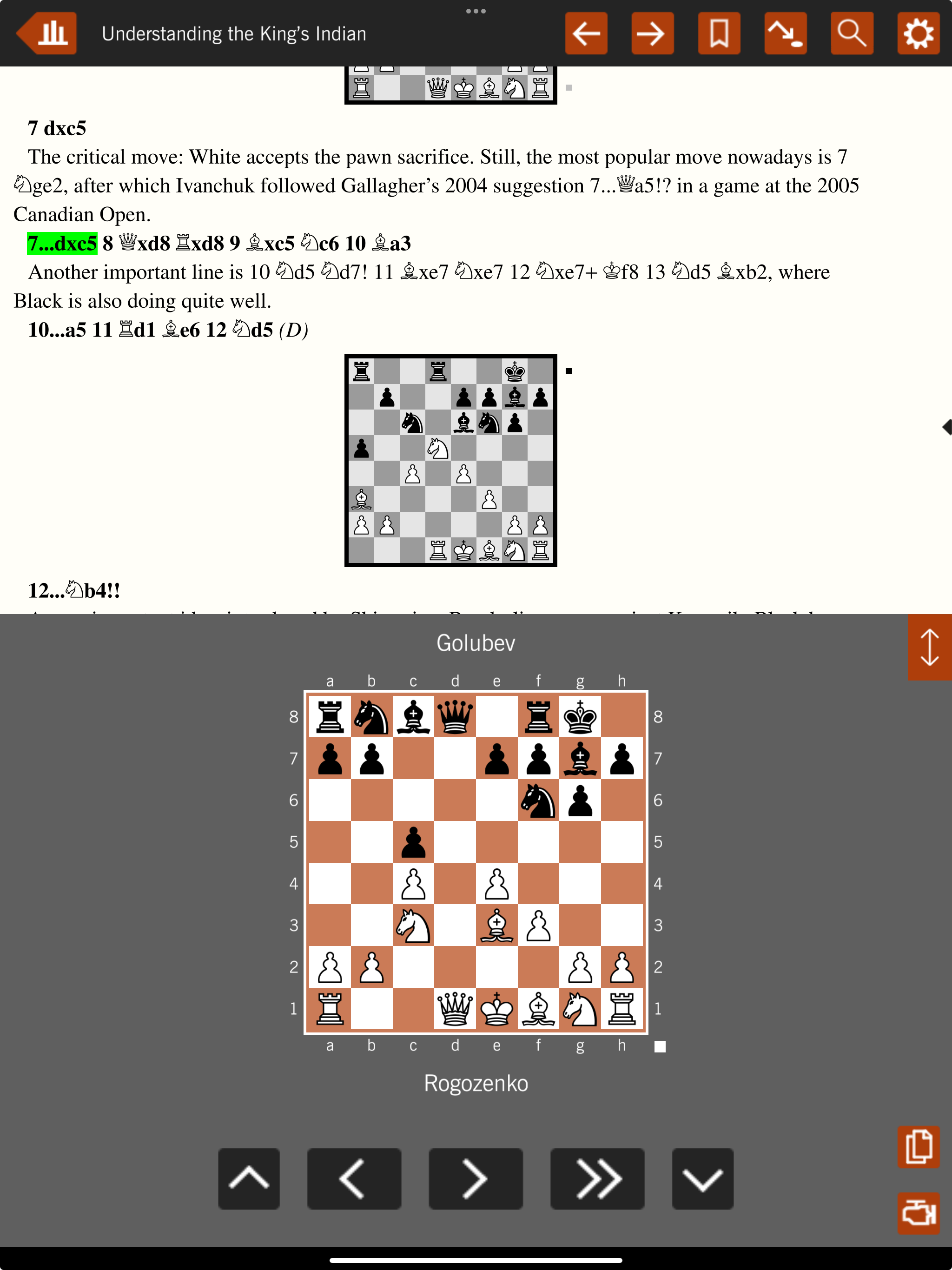
The top half of the screen looks like any paper chess book. The bottom half of the screen is a live board, which shows the position after black’s move 7…dxc5, which is highlighted in green in the top half of the page, because I had tapped it.
The live board allows you to follow the moves, exactly as if you were using a physical board with a physical book. (It is more reliable, since you cannot make the wrong move on the board!)
No book will cover all possible moves. If you want to consider alternatives to the moves in the book, tap the “engine” symbol in the bottom right-hand corner and a chess engine starts. You can then make moves on the board, and the engine will evaluate them and recommend responses.
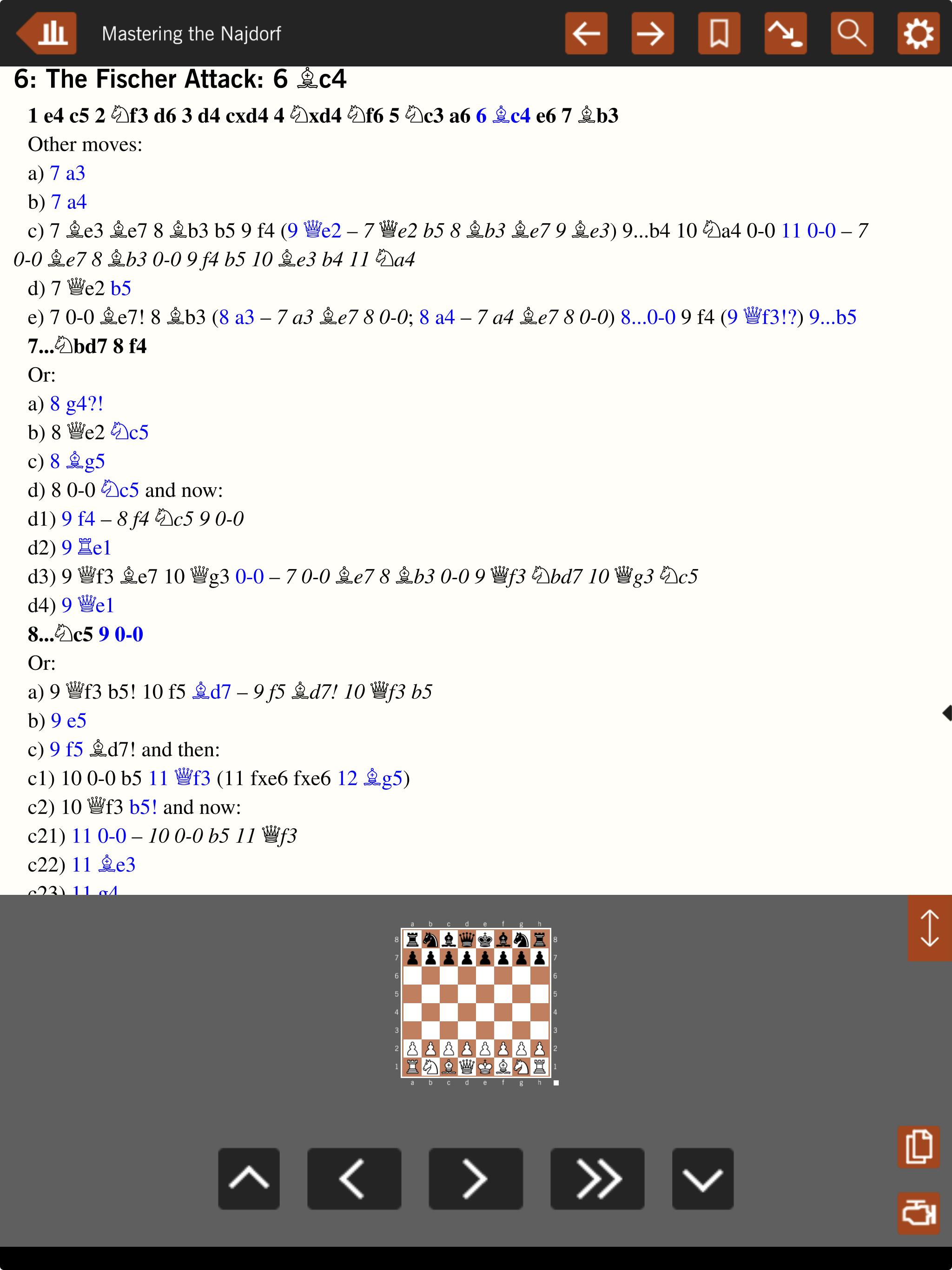
The opening books almost always come with an index of variations. That makes it very easy to find the detailed discussion of the line I encountered when I am doing a postmortem analysis of one of my games.
See illustrative index below. Tapping the moves highlighted in blue takes you to the place in the book where the move is discussed.
The book pages are often very crowded, which can make the variations hard to follow. See example below from my book on the Najdorf.
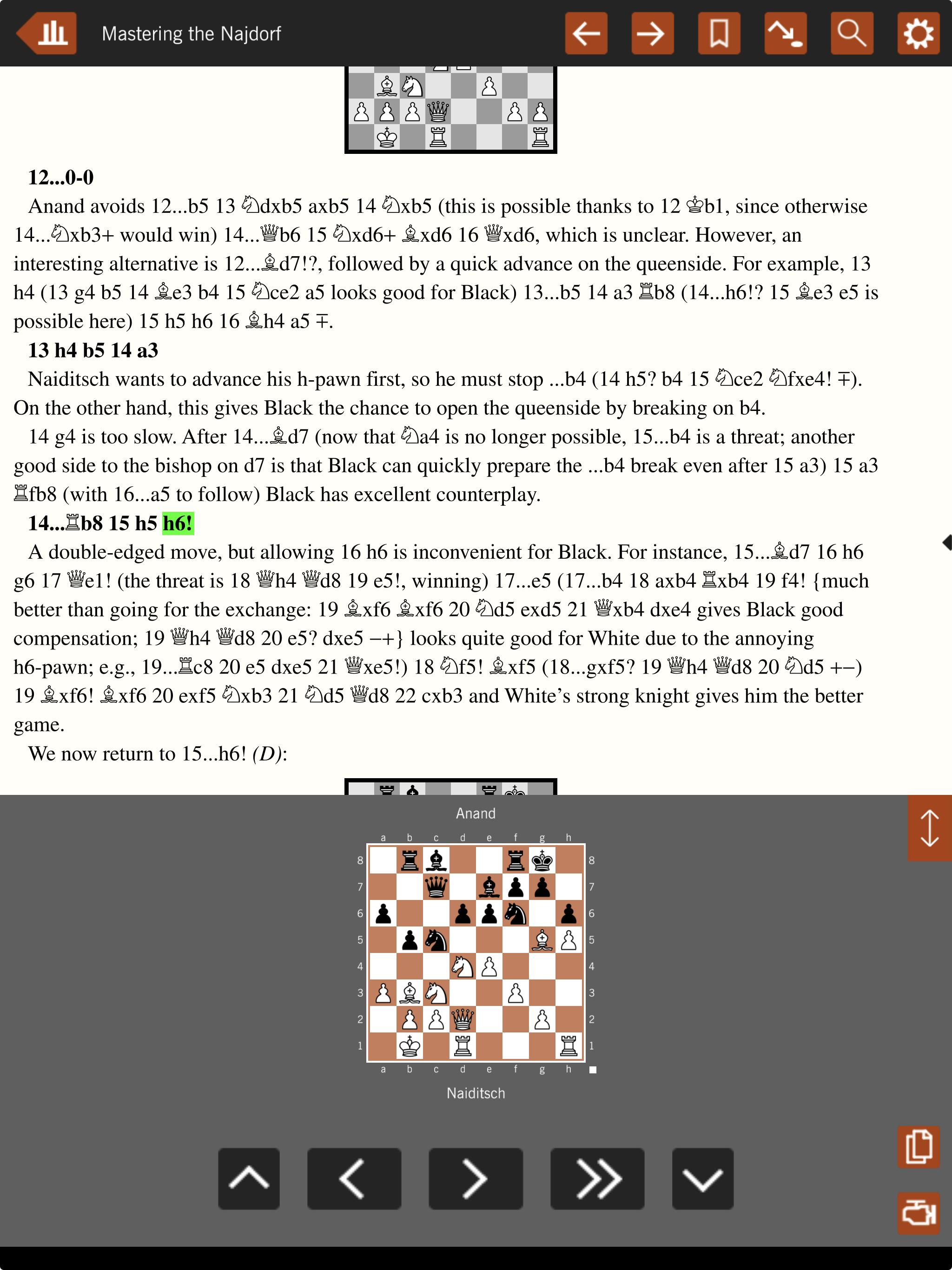
I can understand having crowded pages in a physical book, since the more pages a book has the more expensive to print and the greater the weight. However electronic chess books don’t suffer from either of those constraints, and I would like to see far better use of whitespace on the page layouts.
I have four books bought in the New in Chess app. However, I am not covering this app in any detail.
The reason is that on 23 May 2025 New in Chess announced that they had acquired a minority stake in Forward Chess, and were going to discontinue their app and migrate all their content to the Forward Chess app.
I started using the Forward Chess app when I bought one electronic chess book that I couldn’t get elsewhere. Since then, my Forward Chess collection of books has grown to 18 books.
The user interface is very similar to Gambit Chess Studio. Below is a screenshot from my latest purchase, which is a book about the Ruy Lopez showing a position from the Exchange Variation.
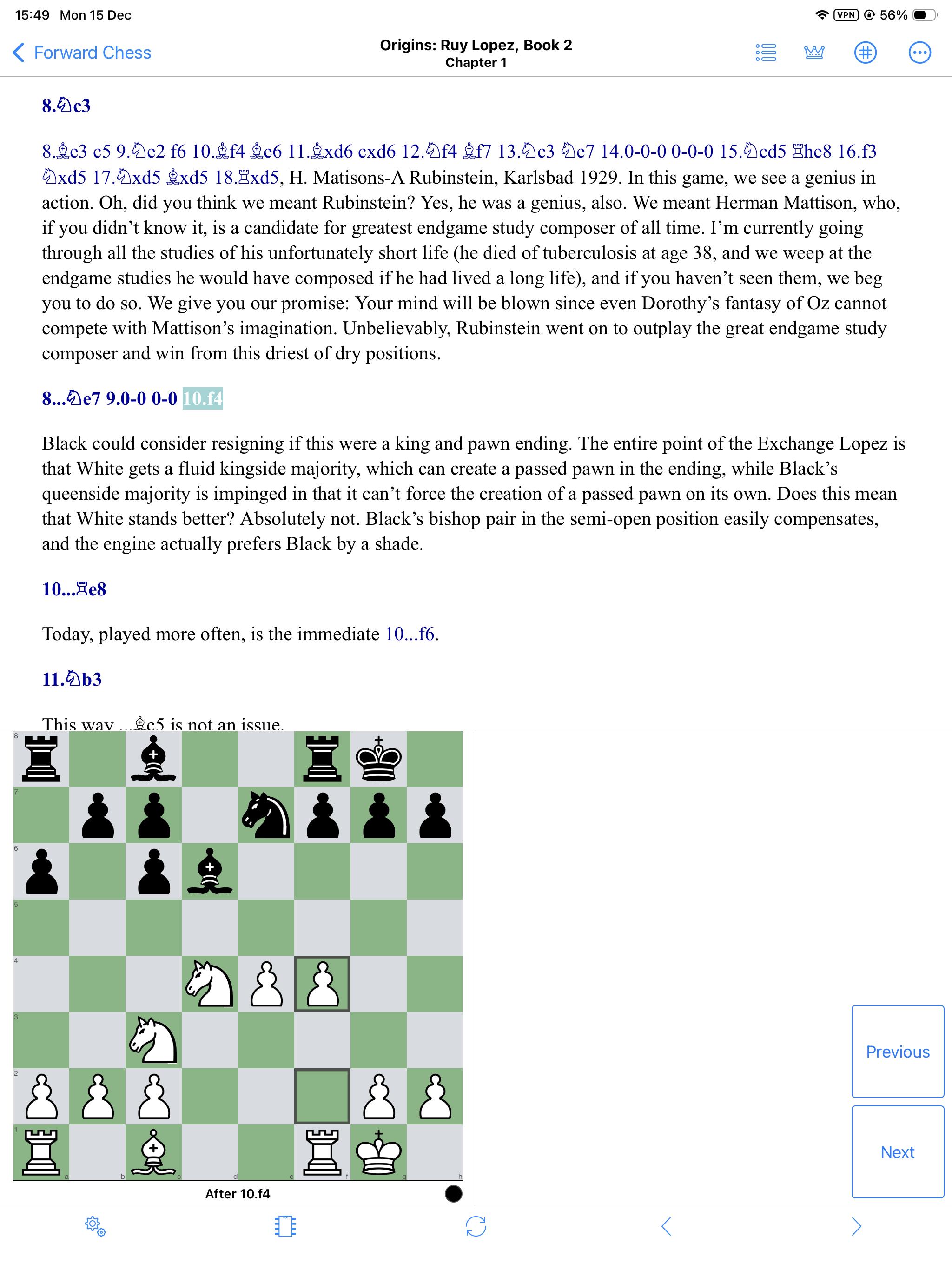
The layout on the page is better than Gambit Chess Studio, with better use of whitespace. Accordingly, I find the variations easier to read and think about.
Forward Chess also has a much bigger range of books than Gambit Chess Studio.
While I haven’t tried assessing it rigorously, my perception is that the Forward Chess books are more recently written. I have changed some of the opening lines that I play as a result of reading Forward Chess books, superseding what I would have played from my reading of Gambit Chess Studio books for the same opening.
I haven’t seen an index of variations in any of the Forward Chess books that I have bought. I really think it is worth having, and with modern technology creating the index could be largely automated.
I bought a physical Kindle when it first came out but soon stopped using it. Instead, I use the Kindle app on my computer, my iPhone, and my iPads.
However, when it comes to chess books, the Kindle app is not much better than a paper book, because you don’t have an electronic board to play out the moves.
On my iPad I have occasionally used split screen mode, whereby part of my screen is the Kindle app, and the other part of the screen is a web browser displaying a website that allows me to play out the moves, and indeed to use a chess engine. Unfortunately, it is very “clunky” and a much worse user experience than using one of the apps mentioned above. I would only do it for a book that I could not find on one of the chess book apps.
Once I started using electronic chess books, I never wanted to use paper ones. I still buy paper chess books occasionally, but only if I cannot buy any electronic equivalent.
Reading electronic chess books should accelerate your chess improvement compared with paper ones.

